Get a review of your bioRxiv or medRxiv preprint before journal submission
Explore Science is now an external author service on bioRxiv and medRxiv. Send your preprint from the Author Area for a full review or a reporting guideline check. The first one is complimentary.
- openrxiv
- preprints
- announcement
Shane Ehrhardt, Founder · October 17, 2026

Explore Science is now an external author service on bioRxiv and medRxiv. You can send a posted preprint to us from your Author Area. You get a full review of the manuscript, or a check against a reporting guideline. The first one is complimentary.
Why review a preprint before you submit it?
More than 80% of preprints on bioRxiv and medRxiv go on to a peer-reviewed journal (openRxiv). The journal's reviewers read the paper you posted. Most preprints get few comments before then.
A review now shows you what those reviewers are likely to flag. You can fix it before an editor sees it, and post the revised version to the server.
What do I get?
You choose one of two reviews.
A full review. It reads the whole manuscript. Each issue links to the passage it is about. Each issue says what to change and cites the published work behind it. Each reference is checked against its source. The paper gets a Calibre score from 0 to 100 across eight categories.
A reporting guideline check. It marks each item of the guideline against your text: met, partly met, not met or not applicable. It quotes the passage behind each mark and says what is missing. You can download the marked checklist as a spreadsheet. There are eight guidelines, including CONSORT, STROBE, PRISMA and ARRIVE.
What does a finding look like?
Here is one finding from a full review of a synthetic mouse study. The manuscript says:
Dendritic spine density was compared between groups with an unpaired t-test (n = 36 slices per group, from 3 mice).
The review marks this as a major issue under Analytical Approach. The treatment was given to each mouse. But the test counts each slice as an independent sample. So the p-value uses the wrong n.
The fix is to use a mixed-effects model with mouse as a random effect, or to test the mean for each mouse. The review also says where to state the unit of analysis: in Methods and in the Figure 3 legend. It asks for the degrees of freedom and the exact p-value, so a reader can see which n the test used. It cites the evidence (Lazic, BMC Neuroscience 2010).
What an AI review finds in a bioRxiv preprint shows the full review in more detail. How to check a medRxiv preprint against CONSORT or STROBE shows the guideline check.
Can my co-authors work on it with me?
Yes. Each author on your submission shows as an invite. One click shares the review. You can discuss each finding together. You can also ask Rosa, the co-scientist, to explain or argue a point.
When you upload a revision, the next review shows which issues you fixed.
How do I send my preprint?
- Post your preprint on bioRxiv or medRxiv.
- Open your Author Area.
- Beside the manuscript, choose Submit Preprint to External Author Service.
- Choose Explore Science.
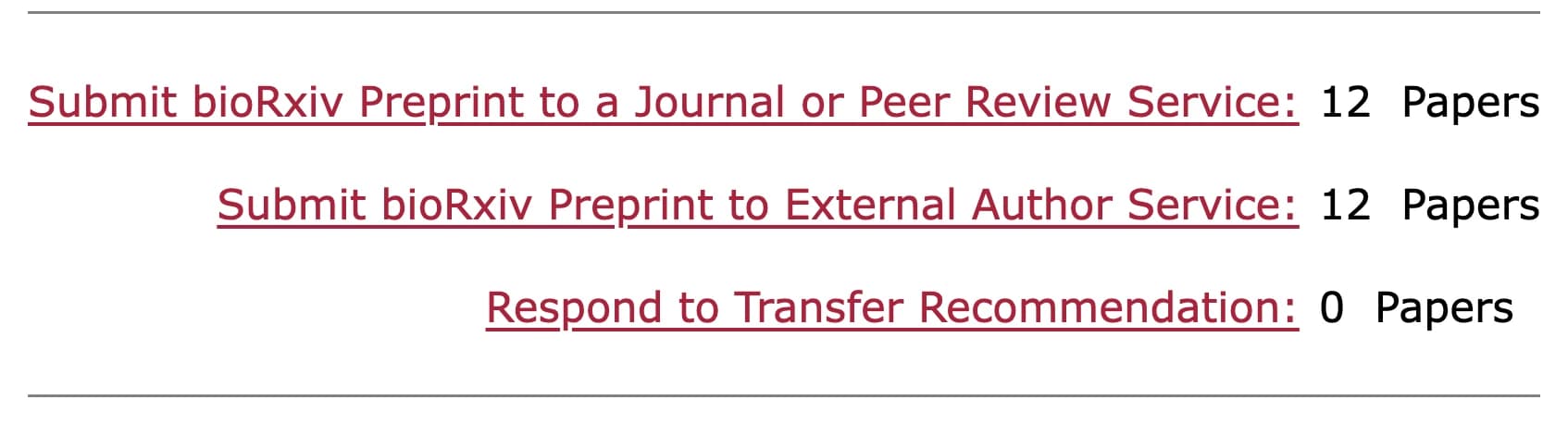
We get the manuscript and its author list from the server, so you do not upload anything. You then get an email with a link. Sign in with your ORCID iD, or with a code sent to the email address on your submission. Then choose your review.
Common questions
What does it cost? The first review from the Author Area is complimentary.
Who sees my review? You and the people you invite. Nothing goes back to bioRxiv or medRxiv.
Can I review a paper that is not on a preprint server? Yes. Upload it from your dashboard.
Start from the openRxiv integration page, or go to bioRxiv or medRxiv.
bioRxiv, medRxiv and openRxiv are trademarks of openRxiv, used with permission.